

MootUp Virtual Conferences: A Guide to Hosting Immersive Online Events
Looking for a virtual event platform that goes beyond another grid of video calls?
MootUp is a browser-based 3D event platform designed for virtual conferences, meetings, networking events, exhibitions, training sessions, and other immersive online experiences.
Attendees can enter from a web browser without installing specialist software, move through shared 3D environments as avatars, attend presentations, meet other participants, visit booths, join breakout activities, and interact with event content.
Whether you are planning a one-off conference or a programme of recurring virtual events, MootUp provides the spaces and tools needed to bring the experience together in one environment.
Table of Contents:
- What is a MootUp Virtual Conference?
- How to Set Up a MootUp Virtual Conference?
- Features of the MootUp Platform.
- Security and Privacy Considerations for Hosting a MootUp Virtual Conference
- Pricing Options for Hosting a MootUp Virtual Conference.
- FAQs in Relation to MootUp Virtual Conference.
- What features does MootUp Virtual Conference offer?
- How can I customize my virtual conference experience with MootUp?
- What are the technical requirements for attending a MootUp Virtual Conference?
- How do I register and access a MootUp Virtual Conference?
- Does MootUp provide support for running virtual conferences?
- Conclusion.
What is a MootUp Virtual Conference?
A MootUp virtual conference is an online event hosted inside an interactive 3D environment.
Instead of simply watching a succession of video sessions, attendees can explore the event as avatars, move between different areas, interact with other participants, attend presentations, visit exhibitor spaces, and take part in activities throughout the experience.
MootUp can support virtual conferences, hybrid events, exhibitions, networking sessions, company meetings, learning events, recruitment fairs, product launches, and other experiences where interaction between participants matters.
Because the platform runs in a browser, attendees can access events from laptops, desktops, tablets, smartphones, and supported VR devices without needing to download an application.
Definition of a MootUp Virtual Conference:
A MootUp virtual conference is an all-in-one platform for hosting any virtual or hybrid event – from webinars and live streaming sessions to multi-session online events with video capabilities, networking lounges, interactive booths, job fairs, and more.
With its intuitive user interface and powerful event management features like invite attendees, screen sharing options, and live chat support, it’s easy to set up your own professional quality digital experience with just a few clicks.
What is a MootUp Virtual Conference?
A MootUp virtual conference is an online event hosted inside an interactive 3D environment.
Instead of simply watching a succession of video sessions, attendees can explore the event as avatars, move between different areas, interact with other participants, attend presentations, visit exhibitor spaces, and take part in activities throughout the experience.
MootUp can support virtual conferences, hybrid events, exhibitions, networking sessions, company meetings, learning events, recruitment fairs, product launches, and other experiences where interaction between participants matters.
Because the platform runs in a browser, attendees can access events from laptops, desktops, tablets, smartphones, and supported VR devices without needing to download an application.
Benefits of Hosting a Virtual Conference with MootUp
Create a More Social Event Experience
One of the biggest challenges with conventional virtual events is recreating the informal interaction that happens naturally at an in-person event.
MootUp gives attendees a shared environment they can move through rather than keeping everyone inside a fixed webinar interface.
Participants can meet in lounges, explore exhibition areas, join breakout spaces, talk with other attendees, or move between different parts of the programme.
That makes networking and spontaneous interaction part of the event rather than something limited to a chat sidebar.
Bring Different Parts of the Event Together
A virtual conference rarely consists of a single presentation.
You may need keynote sessions, breakout rooms, networking areas, exhibitor booths, sponsor spaces, social activities, polls, videos, presentations, downloadable resources, and other content.
MootUp allows these elements to exist within the same virtual environment, helping the event feel like one connected experience rather than a collection of separate links and platforms.
Reach Attendees Wherever They Are
Because MootUp is browser-based, participants can join from different locations and devices without installing dedicated software.
That can reduce one of the biggest barriers to virtual-event participation: asking attendees to download and configure unfamil
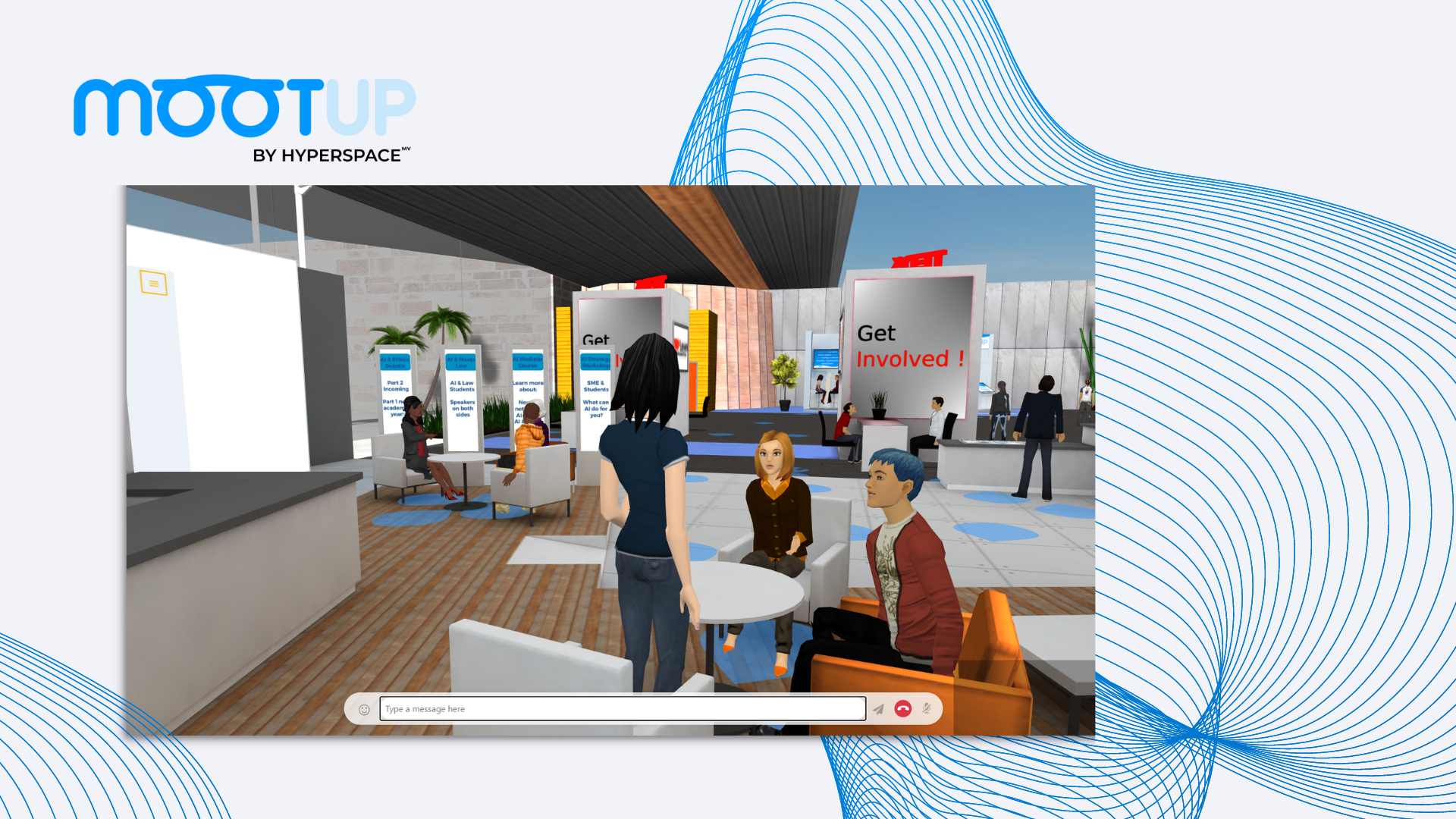
Keep Attendees Involved
MootUp events can include interactive elements such as polls, quizzes, presentations, videos, networking activities, scavenger hunts, breakout spaces, and other activities designed around the event programme.
Instead of asking attendees to remain passive for several hours, organisers can build different forms of participation into the experience.
How to Set Up a MootUp Virtual Conference
Every event is different, but a MootUp conference will typically begin with the structure of the event itself.
MootUp combines immersive 3D environments with tools designed for presentations, communication, networking, and audience participation.
3D Virtual Environments
Create shared immersive spaces where attendees can explore and interact with each other and objects and items around them as avatars using life-like gestures, expression and moods.
Different environments can be used for different purposes, from large presentation areas to smaller meeting and networking spaces.
There is no limit to the number of environments a virtual event (world) can have – it’s all about what fits your specific needs.
Auditoriums and Presentations
Host keynote presentations, panels, demonstrations, and other programmed sessions inside virtual auditoriums and presentation spaces.
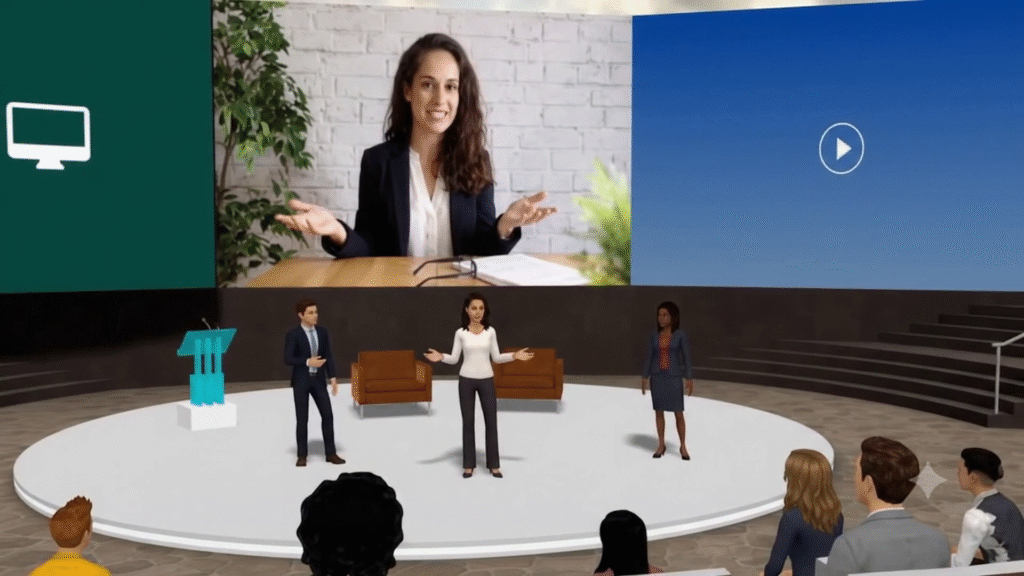
Live and Pre-Recorded Video
Events can incorporate streamed and pre-recorded video content so organisers can combine live programming with prepared material.
With a pre-recorded viseo, the speaker can still attend the event and take part in the chat conversation with the attendees, answer live Q&A.
Networking Spaces
Attendees can meet and interact within lounges, breakout areas, meeting spaces, and other parts of the environment.
This provides a more spatial and social alternative to conventional virtual-event networking tools.
Expo Booths
Virtual exhibition spaces can be created for sponsors, partners, exhibitors, or internal teams.
Booths can include branding, media, information, and interactive content.
Breakout Rooms and Private Areas
Smaller spaces can be used for workshops, conversations, networking groups, team sessions, or other activities that should take place away from the main event.
Polls, Quizzes and Activities
Interactive elements can be incorporated throughout the event to encourage participation and make sessions more active.
Gamification
Scavenger hunts and other event activities can be used to encourage attendees to explore the environment and interact with different areas of the event.
Analytics and Reporting
Event reporting can help organisers understand attendance and activity within the experience and evaluate how participants engaged with the event.
Networking and Audience Engagement
Virtual events work best when attendees have something meaningful to do beyond watching presentations.
MootUp allows event organisers to design different forms of participation into the programme.
For example, attendees might watch a keynote in the auditorium, move into smaller breakout spaces for discussion, explore an exhibition area, meet colleagues in a networking lounge, complete an interactive activity, and return later for another presentation.
That movement between different activities can make the experience feel much closer to attending an event than simply opening another webinar link.
The goal is not to make every element interactive for the sake of it. The environment should support what attendees are actually there to do.

Security and Access Considerations
Access requirements will depend on the type of event being hosted.
A public promotional event may need a very different setup from an internal company conference, customer event, or private training programme.
When planning the event, consider:
- who should be able to enter
- whether authentication is required
- whether particular areas should be restricted
- what attendee information needs to be collected
- whether different participant groups require different levels of access
MootUp can support controlled event experiences, including private spaces and integration requirements for organisational deployments.
For events with specific security, SSO, data, or compliance requirements, those requirements should be reviewed as part of the event setup.
MootUp Pricing
MootUp offers options for both individual events and organisations running events throughout the year.
A one-time event package is available for $12,500, supporting up to 1,000 concurrent attendees, with up to 10 event hours and 30 days of access.
For organisations planning multiple events, an annual package is available for $25,000, also supporting up to 1,000 concurrent attendees.
Additional options include live event support and auditorium packages depending on the requirements of the event.
The right setup will depend on the audience size, programme, duration, level of customisation, and amount of support required.
Frequently Asked Questions
What types of events can I host with MootUp?
MootUp can be used for virtual and hybrid conferences, meetings, exhibitions, networking events, recruitment fairs, training sessions, product launches, internal company events, and other interactive online experiences.
Do attendees need to install anything?
No dedicated application is required for standard browser access.
Attendees can access MootUp through supported web browsers on laptops, desktops, tablets, smartphones, and other compatible devices.
Can attendees network with each other?
Yes.
MootUp is designed around shared virtual environments where attendees can move through the event, meet other participants, and interact in networking areas, breakout spaces, booths, and other locations.
Can we customise the event?
Yes.
Events can incorporate branding, media, signage, presentation content, exhibition spaces, interactive activities, and different 3D environments based on the requirements of the event.
Can MootUp support large conferences?
MootUp packages can support events with up to 1,000 concurrent attendees.
The event itself can be structured across auditoriums, networking spaces, exhibition areas, breakout rooms, and other environments depending on the programme.
Can we use live video and presentations?
Yes.
MootUp can incorporate presentations, streamed video, pre-recorded content, and other media within the virtual environment.
Does MootUp provide event support?
Live event support is available as an additional service for organisations that want technical assistance during their event.
Conclusion
A successful virtual conference needs more than a way to broadcast presentations.
People need places to meet, things to explore, opportunities to participate, and a clear reason to stay involved.
MootUp combines browser-based access with interactive 3D environments, presentations, networking spaces, exhibition areas, breakout rooms, and audience-engagement tools to create virtual events that participants can actually move through and experience.
And because attendees can join directly through their browser, organisations can create an immersive event without requiring everyone to install specialist software first.
Whether you’re planning a conference, company event, exhibition, training programme, or end-of-year celebration, MootUp provides a flexible environment for bringing people together online.
Ready to create a virtual event people actually want to explore?
See what MootUp can do for your next conference, meeting, or event – book a demo and start planning your experience.